Zerodha's Kite Connect is the API most Indian retail traders reach for when they want to automate. It's popular for good reasons: clean HTTP/JSON design, solid docs, and a huge client base already on the platform. But "I have a Zerodha account" and "I can run an algo on Zerodha" are two different things. Before you wire up a strategy, it helps to understand exactly what the API gives you, what it doesn't, and where live trading tends to break.
Two API tiers, and the data gap that catches people
As of 2025, Zerodha offers Kite Connect in two shapes, and the difference matters a lot for retail traders.
Kite Connect (paid, around ₹500/month). This is the full suite: order placement, GTT, portfolio and margin APIs, real-time WebSocket streaming, and historical candle data. In early 2025 Zerodha bundled historical data into this plan and dropped the separate ₹2000 data fee, so one subscription now covers both trading and data.
Kite Connect Personal (free). Launched in March 2025, this gives individual traders free programmatic access to their own account — orders, portfolio, the essential trading functions. The catch is important: Personal does not include market data. No live quotes, no historical candles. Zerodha's own framing is that Personal gives you the account features "minus the market data, both real-time and historical."
That data gap trips up more beginners than any other single thing. If you pick the free tier, your strategy still needs prices from somewhere — an external feed, another data vendor, or your platform layer. An algo that can place orders but can't see live prices is not an algo; it's a very fast manual button. Decide your data source before you decide your API tier.
What the order flow actually looks like
Kite Connect is a request/response system, not magic. A typical automated trade moves through these steps:
- You authenticate and get an access token for the day.
- Your logic decides to trade (from your own signal or an external alert).
- You call the order API with symbol, side, quantity, product type (MIS, CNC, NRML), and order type.
- Zerodha returns an order ID — this means received, not filled.
- You track status through order/trade APIs or the postback/WebSocket stream until it's COMPLETE, REJECTED, or CANCELLED.
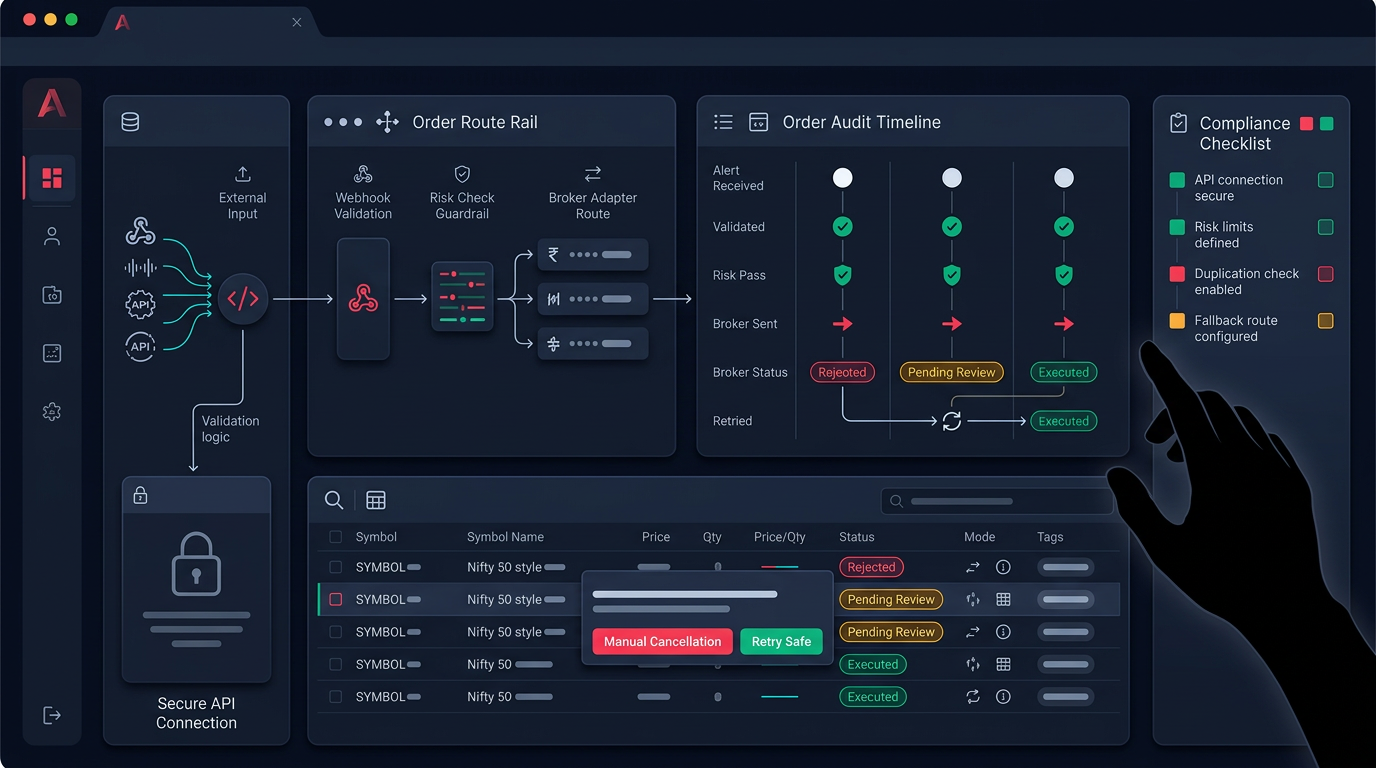
The single most common retail mistake is treating the order ID as confirmation of a fill. It isn't. A market order can still be rejected for margin, an illiquid strike can sit open, and a modify can silently fail. This is exactly why an order audit view matters — you want to inspect broker execution, not assume it. Anadi keeps orders in a status-aware table with cancel workflows for this reason, so you're reading real broker states instead of hoping the fill happened. If you're evaluating any broker API for production, judge it on how clearly you can see and reconcile order status, not just how fast it places.
The daily session problem
Kite Connect access tokens are valid for one trading day and expire — typically the next morning. Renewal isn't a silent background refresh; it goes through Zerodha's login flow, which involves your credentials and a TOTP/2FA step by design. That security choice is good for your account and annoying for automation.
The practical consequence: if your token isn't refreshed before the session, your algo wakes up, tries to place an order, and gets an authentication error at exactly the wrong moment. Plenty of "my strategy stopped working" stories are just an expired session nobody re-authenticated. Build the daily login/token step into your routine and monitor it as a first-class dependency, not an afterthought. A missed re-auth at 9:14 AM is a silent failure that looks a lot like a bug.
Rate limits and other real constraints
Kite Connect enforces rate limits — caps on how many API calls you can make per second and per day, differing by endpoint (order calls, quote calls, historical calls). Zerodha publishes the current numbers in its docs, and they do change, so check the live docs rather than trusting a number from a forum post. What matters for design:
- Don't poll aggressively. Prefer the WebSocket stream for live prices over hammering the quote API in a loop.
- Batch and back off. A strategy scanning many instruments can hit limits fast; space out calls and handle throttle responses gracefully.
- Handle rejections as normal, not exceptional. Margin shortfalls, circuit limits, freeze quantities on index options, and off-market-hours calls all produce errors you must catch and route somewhere visible.
None of these are Zerodha-specific flaws. Every serious broker API has limits. The difference between a hobby script and a production system is whether you've planned for them.
Where a platform layer fits
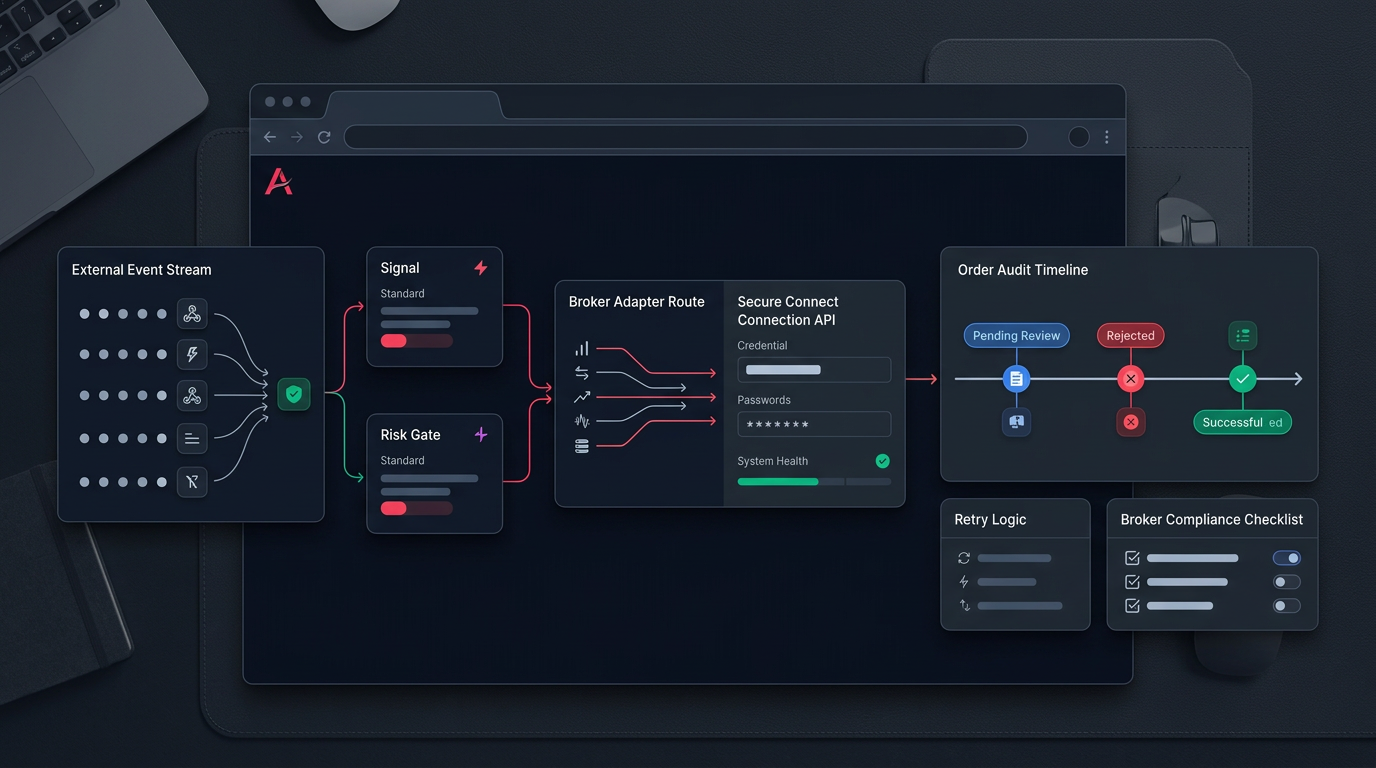
You can absolutely code directly against Kite Connect with the official Python client. But the parts that break in live trading — session renewal, order-status reconciliation, risk limits, retries, alert validation — are the same parts a platform is built to handle so you don't rebuild them alone.
That's the practical case for a layer between your signals and the broker. If your triggers come from charts, a validated pipeline like TradingView webhooks turns raw alerts into risk-checked orders instead of blind fire-and-forget. And whichever broker you connect, running new logic in paper trading first — with an explicit max-loss guardrail — is the cheapest way to find the failure modes above before real capital meets them. Good risk management belongs in the execution layer, not just in your strategy notes.
A pre-live checklist for Kite Connect
Before you flip an algo to live on Zerodha, confirm:
- Tier fits your data needs — free Personal (no market data) vs paid Connect (data included).
- Data source is decided and tested, separate from order placement.
- Daily token refresh is automated or scheduled, and monitored.
- Order status is reconciled — you treat order ID as received, fill as confirmed.
- Rejections and rate limits are caught and surfaced, not swallowed.
- Risk limits (max loss, position size, instrument scope) live in code, not in your head.
- Paper mode ran clean across a few full sessions, including expiry days.
Kite Connect is a capable, well-documented API — enough to run a real retail system. It just doesn't remove the operational work; it moves it to you. Get the sessions, data, and order reconciliation right and it's dependable. Skip them and you'll blame the strategy for what was really a plumbing failure.
Want a monitored path from signal to broker without wiring all of this yourself? Get early access and start in paper mode with guardrails on from day one.